
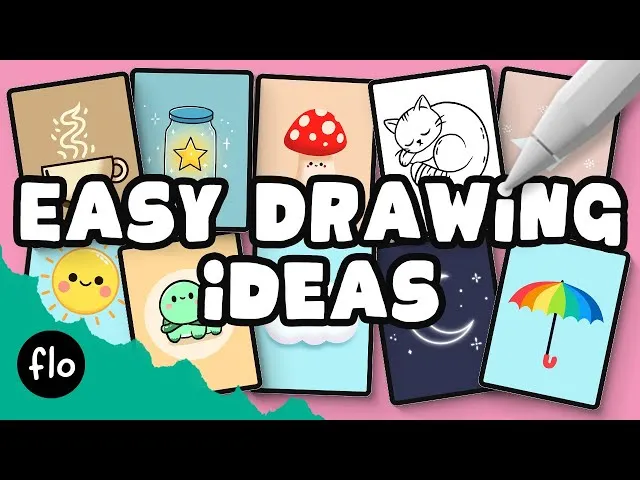
procreate drawing ideas beginner artists can actually finish is the ultimate way to beat that intimidating feeling of a blank white screen. I remember the very first day I unboxed my iPad. The sleek glass felt like a gateway to a new world, but the moment I opened Procreate, I froze. There were so many brushes, layers, and hidden gestures that I ended up just drawing a stick figure and closing the app in frustration. We have all been there, staring at that pristine digital canvas and feeling like we need to be a professional concept artist just to make a mark.
The beauty of digital art is that it is remarkably forgiving. Unlike traditional oil painting where a mistake might cost you hours of drying time and expensive canvas, Procreate offers the magical double-tap to undo. This safety net allows you to experiment with colors and shapes that you might never try on paper. To start your journey, it is best to focus on projects that prioritize “play” over “perfection.” You do not need to understand complex anatomy or lighting to create something that looks stunning on your Instagram feed or as a wallpaper for your phone.
One of the most satisfying projects for a newcomer is the “Fruit Study.” Fruits like oranges, watermelons, or strawberries are essentially just basic geometric shapes with a bit of texture added on top. Start by drawing a simple circle for an orange. Use the “ColorDrop” feature by dragging the color circle from the top right corner into your shape. Once you have a solid orange circle, create a new layer above it and set it as a “Clipping Mask.” This ensures that any texture or shading you add stays perfectly within the boundaries of the circle.
Using the “Ghibli” style or soft airbrushes, you can add a lighter orange on one side for a highlight and a deeper burnt sienna on the other for a shadow. The clipping mask makes this process feel like magic because you never have to worry about coloring outside the lines. To give it that professional touch, grab the “Technical Pen” and add tiny dots to represent the pores of the orange peel. This simple exercise teaches you about the relationship between light and shadow while getting you comfortable with the layer system.
Master Your Skills with These procreate drawing ideas beginner Projects
Another fantastic way to explore the app is through “Minimalist Landscapes.” You do not need to draw every individual blade of grass to create a sense of place. Start by picking a limited color palette of five shades. Draw a series of overlapping wavy lines across the bottom of the screen to represent rolling hills. Fill each hill with a different shade of green or blue, making the hills in the back lighter to create a sense of atmospheric perspective. This technique is incredibly effective for learning how to organize your layers effectively.
Furthermore, you can add a large circle in the background for a sun or moon. If you want to get fancy, use the “Gaussian Blur” tool on the sun layer to create a soft, glowing halo. Many people find that creating these “Vaporwave” or “Cottagecore” landscapes is a meditative process that reduces the stress of everyday life. It is less about the technical accuracy of the mountains and more about the “vibe” created by your color choices. You can even use the “Monoline” brush to add tiny, simplistic silhouettes of birds in the distance to give the piece a sense of scale.
If you are feeling a bit more adventurous, consider drawing “Simple Character Blobs.” Characters do not always need arms, legs, or realistic eyes. Think of the “Among Us” characters or the cute slimes found in many indie games. Draw a rounded, organic shape and give it a face consisting of just two dots for eyes and a tiny curve for a mouth. By focusing on the expression rather than the anatomy, you can create a character that feels alive and full of personality in just a few minutes. This is a great way to practice using the “Liquify” tool to adjust shapes until they feel just right.
Another area that often goes overlooked by beginners is digital lettering. Procreate is world-renowned for its lettering capabilities, thanks to the “Streamline” feature. This feature stabilizes your brush strokes, making even the shakiest hands look like those of a professional calligrapher. Try writing a short, inspiring quote in a bold color. Then, create a layer underneath and offset it slightly in a darker color to create a “drop shadow” effect. This simple project helps you understand brush physics and pressure sensitivity without the pressure of creating a complex illustration.
Why Tracing is a Great procreate drawing ideas beginner Strategy
Many people feel like tracing is “cheating,” but in the world of digital art, it is actually a highly respected learning tool. Using a personal photo as a template is one of the best ways to ease into more complex procreate drawing ideas beginner students often struggle with. For example, take a photo of your morning coffee cup or a favorite houseplant. Import that photo into Procreate, lower the opacity of the layer to around thirty percent, and create a new layer on top. Now, trace the main outlines of the object using a clean brush like the “Studio Pen.”
Tracing helps your brain and hand coordinate the movements needed to create smooth, confident lines. Once you have the outline, hide the photo layer and try to color it in using your own imagination. This hybrid approach takes away the stress of getting the proportions right while allowing you to focus on the fun parts of digital art, like choosing colors and adding textures. It is a fantastic way to build confidence. I often suggest this to friends who say they “can’t even draw a straight line,” because it proves to them that they actually can.
Furthermore, you can use the “Symmetry Tool” to create intricate mandalas or perfectly balanced butterfly wings. Go to the “Action” menu, turn on “Drawing Guide,” and then select “Symmetry” under the “Edit Drawing Guide” options. Now, whatever you draw on one side of the screen will be perfectly mirrored on the other. This tool is addictive and allows you to create complex, beautiful patterns that would take hours by hand. It is a great way to learn about composition and balance without needing to worry about lopsided designs.
As you spend more time with these procreate drawing ideas beginner prompts, you will begin to notice your own unique style emerging. Maybe you prefer thick, chunky lines and bright neon colors, or perhaps you are drawn to soft, watercolor textures and muted earth tones. Procreate has thousands of custom brushes available online that can mimic almost any traditional medium. Do not be afraid to spend an afternoon just testing out different brushes on a blank canvas. This “texture exploration” is a vital part of finding your voice as a digital artist.
Another project that is perfect for late-night creativity is “Celestial Art.” Space is incredibly forgiving because stars are just dots and nebulae are just clouds of color. Start with a deep navy or black background. Use a “Cloud” or “Cotton” brush with a bright purple or pink to create a swirly galaxy effect. Then, grab the “Luminance” brush set and add stars that actually glow on the screen. This is a high-impact project that always looks impressive, yet it requires very little technical skill. It is a great way to learn about “Blending Modes” like “Add” or “Screen” to make your colors pop.
For those who enjoy a bit of nostalgia, drawing “Retro 90s Icons” is a fun way to practice. Think of old floppy disks, chunky game consoles, or colorful cassette tapes. These objects are made of basic squares and rectangles, making them easy to block out. You can use the “Selection Tool” to create perfect shapes and then fill them with vibrant, saturated colors. Adding a bit of “Noise” from the “Adjustments” menu can give your art that grainy, lo-fi texture that is so popular right now. It is a wonderful way to combine history with modern technology.
One tip I always give to people starting with these procreate drawing ideas beginner activities is to keep a “doodle diary.” Instead of trying to create a masterpiece every time you open the app, just try to draw one small thing every day. It could be a leaf you saw on your walk, the pattern on your favorite mug, or even just a weird shape that came to mind. Over time, these small doodles will build up, and you will be amazed at how much your line quality and color sense improve. Consistency is much more important than raw talent when it comes to mastering digital art.
The community around Procreate is also incredibly supportive. There are thousands of free palettes and brush sets available on forums and social media. If you find a certain artist’s style inspiring, look to see if they have any tutorials or process videos. Watching how someone else builds their layers and chooses their brushes can provide a “lightbulb moment” that moves your art forward faster than hours of solitary practice. Digital art is a global conversation, and you are now a part of it.
If you are looking for something a bit more structured, try the “Master Study” approach. Pick a famous, relatively simple painting—like something by Matisse or a minimalist modern artist—and try to recreate it in Procreate. This is not about copying to take credit, but about understanding how the masters used color and composition. By trying to mimic their brush strokes, you learn new ways to use your own digital tools. It is like taking a private art lesson from history’s greatest creators, all from the comfort of your couch.
As you become more comfortable, you might find that you want to animate your drawings. Procreate’s “Animation Assist” tool is surprisingly easy to use. You can take your simple character blob and make it blink or bounce with just a few extra layers. Seeing your art move for the first time is a thrill that never gets old. It adds a whole new dimension to your creative process and can lead to even more procreate drawing ideas beginner animators can explore, like simple walking cycles or changing weather effects.
I often tell my students that the most important tool in their kit is not the Apple Pencil, but their own curiosity. Do not be afraid to press buttons just to see what they do. If you accidentally turn your drawing bright pink or flip it upside down, you can always go back. This sense of exploration is what makes Procreate such a powerful tool for self-expression. Every professional artist you see on social media started exactly where you are right now—wondering what a clipping mask is and trying to figure out how to draw a decent circle.
Finally, remember to share your work. It can be scary to put your beginner art out into the world, but the feedback you receive can be incredibly motivating. There are many communities specifically for people who are just starting out with Procreate, where the focus is on growth and encouragement rather than harsh criticism. Your journey from that first shaky orange study to complex, beautiful illustrations is a story worth telling. Digital art is a journey that lasts a lifetime, and the first step is as simple as picking up your pencil and making that first mark on the screen.
The world of digital illustration is vast, but it is also very welcoming. By focusing on simple, repeatable projects, you build a foundation that will support your art for years to come. Whether you want to eventually become a professional illustrator or you just want a relaxing hobby for your Sunday afternoons, Procreate is the perfect partner. So, the next time you open the app, skip the “masterpiece” pressure and just try to draw a simple, happy little orange. You might be surprised at where that one little circle can take you.
Read also :-
